teach it
Mission of edgewood middle school:
“Edgewood Junior High School is a disciplined environment dedicated to developing lifelong learners.”
-
Serve IT gives IU students the opportunity to support the technology needs of local nonprofits and develop the tech skills of local youth.
-
If you love working with others and want to share your love for technology and reduce the digital divide, this is your team. We work with three local Boys and Girls Clubs, Edgewood Jr. High, and various other partners in town, developing and delivering fun tech workshops to local youth that align with Indiana K-12 state standards for computer science. We also work with adults such as the Meadowood Retirement Center and Thriving Connections, coaching adults on various random technology issues. Alumni often mention that their experience with Teach IT helped them develop consulting skills.
-
Our team worked well together and had strong communication. We met every Tuesday to decide on the lesson we would be teaching that week and would share ideas, work effectively, and consistently communicated throughout the week via Microsoft Teams. We would usually split up the lessons equally, with the team leads leading activities, but there were a couple of weeks where the interns led lessons individually. We had about 10 students, but 6 students regularly attended. The students were always eager to learn more, asked questions, and were engaged the entire session. We would ask students if there were any skills or topics they wanted to cover, and the feedback helped us when creating lessons. Our team used Outlook, Microsoft Teams, Microsoft PowerPoint, and Visual Studio Code.
Meet the Team
-
![A young man with short brown hair, smiling, wearing a gray suit, a blue shirt, and a maroon tie with white dots, against a plain gray background.]()
jacob Pascover
Team Lead
-
![Young man with black hair smiling, wearing a black shirt, in a modern indoor setting with bright lights and glass walls.]()
Ricky Vu
Team Lead
-
![A person with short dark hair smiling outdoors in front of a blurred yellow background.]()
Esme McDermott
Intern
-
![Young woman with red curly hair smiling, wearing a black blazer and white top against a plain white background.]()
Brina Idler
Intern
-
![Close-up portrait of a young Asian woman with long dark hair, smiling, wearing a black off-shoulder top and layered necklaces, against a grey and blue gradient background.]()
Elise Park
Intern




Week 1:
databases on the web
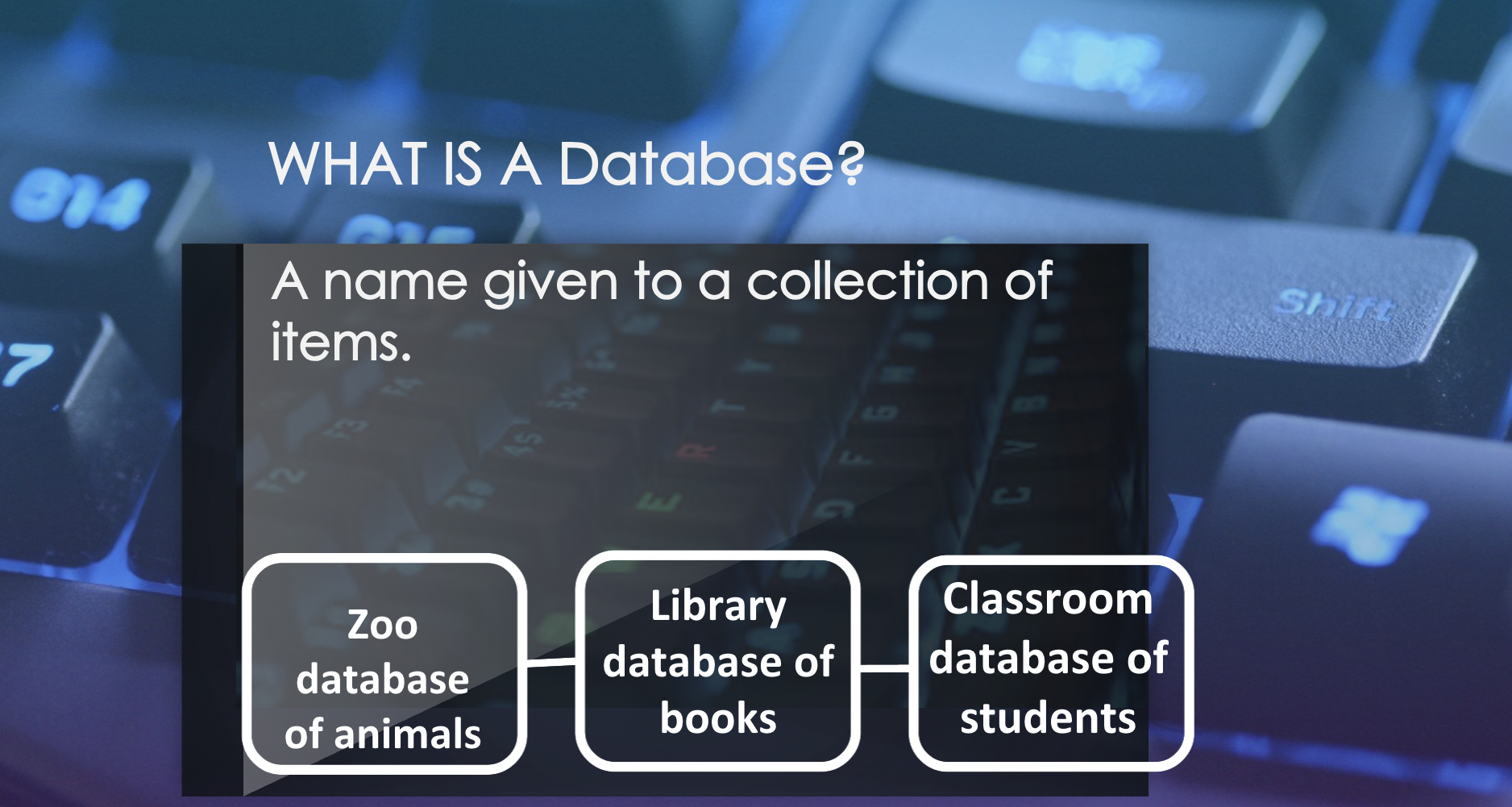
During the first week, we introduced how to search the internet and discussed databases and how they produce results. The goal was for students to be familiar with databases and how to search through them for desired results. We also touched on what search engines and sorting is.
This was a great starting point for us to ease into the topics and skills we would be covering during future lessons and allowed us to see what skills the students already had.
Weeks 2-4:
python basics
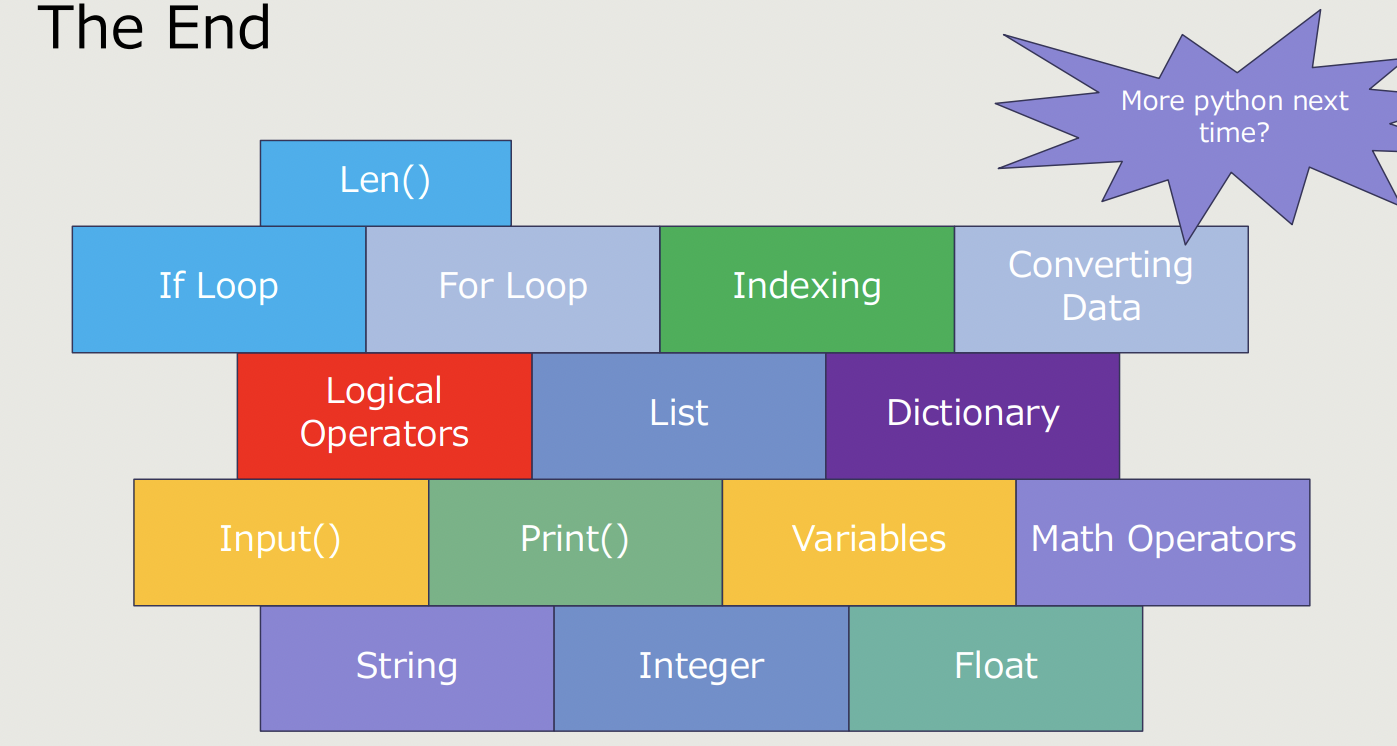
On the second week, we introduced Python. The goal was for students to gain exposure to coding through text by learning the foundations of Python and to build their knowledge of Python basics to be applied in future lessons and projects. We covered variables, integers, floats, and strings. We then led them through three coding activities: a Python math demo, a Python input demo, and a Python Mad Libs!
During weeks three and four, we elaborated on logical operators, data structures, data conversion, and loops. At the end of week four, we applied all of the Python skills taught by coding a Guess the Number Game.
Week 5-11:
html, css, & javascript
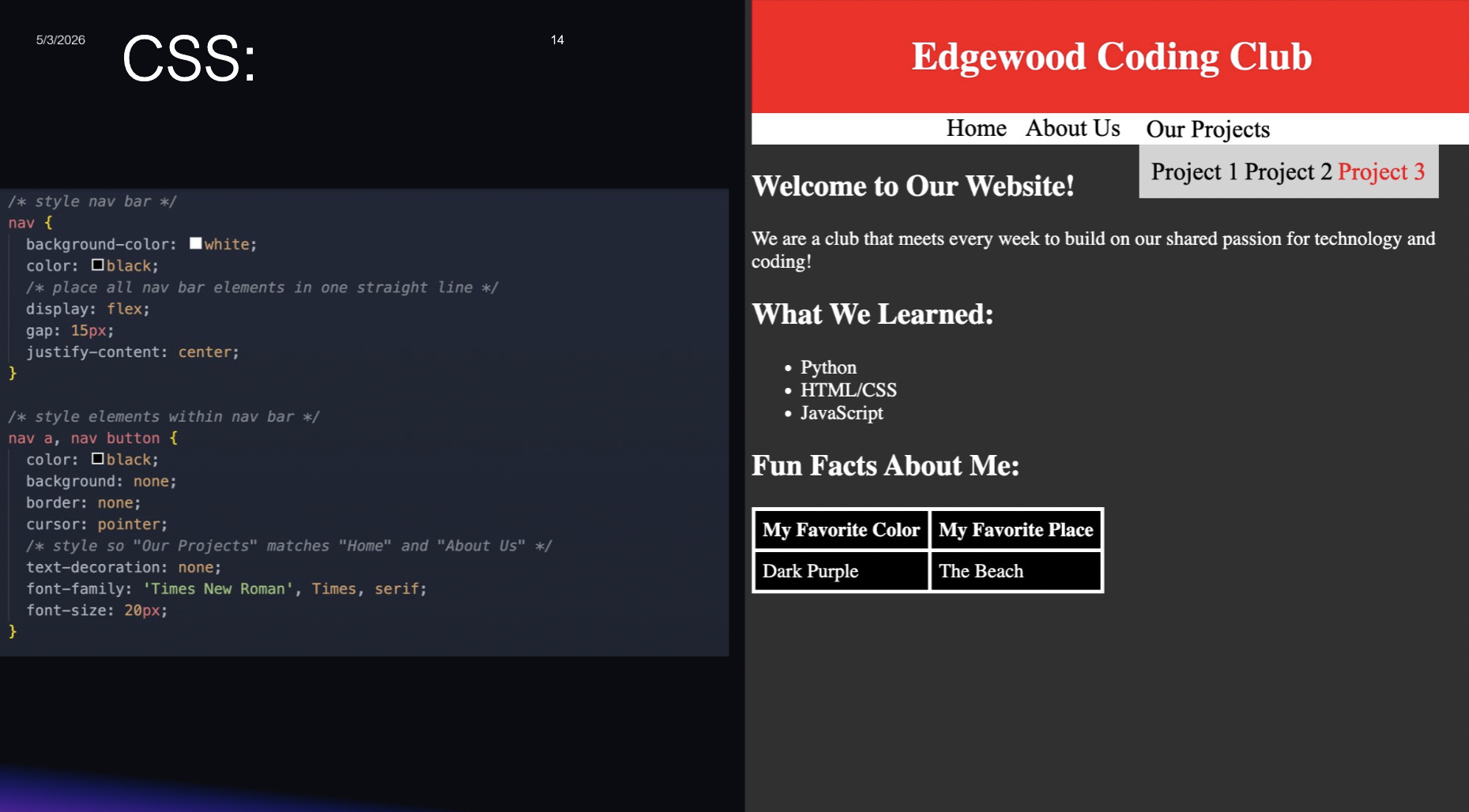
For week 5, we introduced HTML. We discussed wire framing, certain HTML tags that build an HTML skeleton, and also covered unordered and ordered lists. We then encouraged the students to practice their HTML by asking them to create a simple site consisting of an unordered and ordered list.
During weeks 6-9, we dived deeper into more advanced HTML. We taught new HTML tags that allowed students to create simple navigation bars, footers, and add more depth to the sites that they created. We also began incorporating CSS into the lessons during this time.
Week 10 was a lesson dedicated to creating buttons. Students emulated a site similar to YouTube and created clickable buttons using the <button> tag.
For week 11, we built off of the previous lesson regarding buttons and elaborated on interactive navigation bars/menus and dropdown menus using JavaScript. We introduced some Emmet abbreviations and discussed how to use the <script> tag to incorporate JavaScript into HTML. At the end, students created interactive menus at the top of their site that also consisted of a clickable dropdown menu!
During my time at Edgewood Jr. High School, I learned a lot about the power of teamwork, strong communication, and gained confidence in public speaking and leading. It was such a blessing to be able to witness the students grow in their knowledge of coding languages and to be able to help them pursue their interests. Being able to build relationships with my team as we worked together was very rewarding and we all always showed up for one another and our students. I look forward to the next year upcoming year of Teach IT and plan on building upon the skills I gained this year.